A little help for your frog.
A missing frog, a sleepy screen, or a question about that wizard hat? Start here.
Does Feed The Frog work on iPhone Duo?
Yes. Feed The Frog supports iPhone Duo. Its Dynamic Island runs vertically along the side of both the outer and inner displays. Turn on the Live Activity in the app to see your frog there or on the Lock Screen. The same animation collection works with the phone open or closed.
What is Feed The Frog?
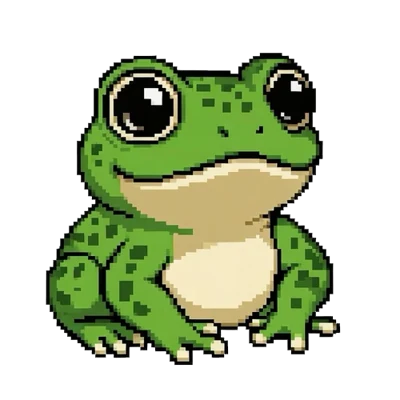
Feed The Frog is a virtual pet app for iPhone with a pixel frog. It brings an animated frog to your Dynamic Island and Lock Screen through Live Activities. Feed it, track progress, and collect five animation sets.
Is Feed The Frog free?
Yes, Feed The Frog is free to download. Blinking is included, and Looking Around unlocks through feeding. Sleeping, Catching Fly, and Wizard Staff require their feeding milestones and the optional one-time All Frog Packs purchase for Live Activity use. Check the App Store for your local price.
Do I need an iPhone with a Dynamic Island?
You need Dynamic Island hardware for the Island pet. On another supported iPhone running iOS 17.6 or later, you can still use the full in-app experience and Lock Screen Live Activities.
Can I see my frog on the Lock Screen?
Yes. Turn on the Dynamic Island switch in the app to start its Live Activity on both surfaces. Allow Live Activities in Settings, then lock and wake your iPhone to see the frog.
Will my frog stay there all day?
Live Activities have system limits. Apple documents up to eight hours of active time, and iOS may change visibility when other activities need the space. Reopen Feed The Frog to start a new session. On a dimmed Always-On Display, the frog appears as a still image.
Does the app collect my data?
Feed The Frog does not collect personal data, serve ads, or use analytics. App progress is stored locally on your device, and Apple processes in-app purchases. Read the privacy policy for details.
Restore a purchase
If you bought All Frog Packs with the same Apple Account, use Restore Purchases in the app. Premium animation selection also requires the corresponding feeding milestone. Restoring a purchase restores purchase access; it does not transfer a local feeding total.
Talk to the person who made it.
Email [email protected]. Include your iPhone model, iOS version, app version, and what you expected to happen. Screenshots can help explain a display issue. Please leave passwords and payment details out of your message.
Refunds and purchase billing
Apple processes in-app purchases. For billing or refund questions, use Apple’s purchase support.