
Choose the screen before choosing the pet
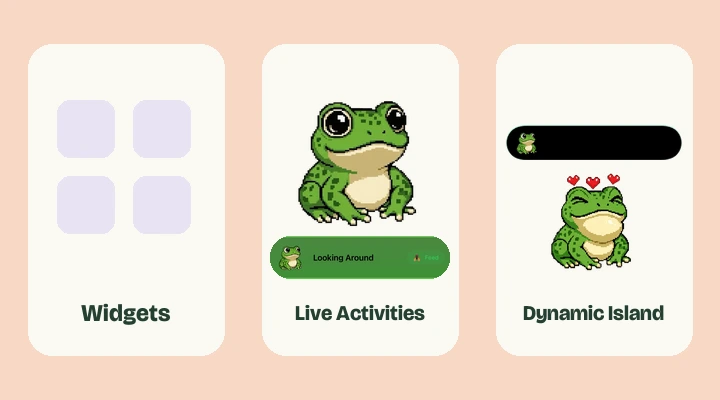
A cute screenshot is a good reason to look closer, but check what it actually shows. An app can have lovely pixel artwork without supporting a Home Screen widget or the Dynamic Island. Look for explicit surface support in the current listing.
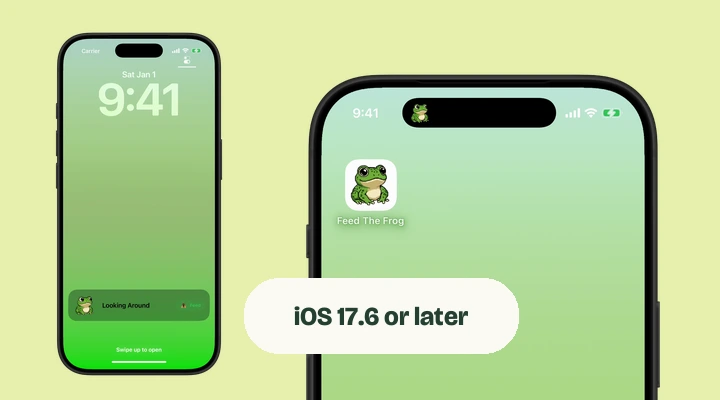
Feed The Frog focuses on a frog companion in the Dynamic Island and on the Lock Screen through Live Activities, alongside an in-app collection. If you want a widget that occupies a fixed space among your app icons, that is a different feature to check.
A frog companion or a wider choice of pets?
| What you want | Feed The Frog | Pixel Pals |
|---|---|---|
| A character to keep you company | One pixel frog with five animation sets | A selection of animal companions |
| A pet outside the app | Dynamic Island and Lock Screen Live Activities | Home Screen and Lock Screen customization, plus Live Activities |
| A collection to explore | Feeding milestones and frog animations | Different pets and customization features |
Feed The Frog is a good fit if you already know you want a frog. Pixel Pals offers a broader animal selection and screen customization. They are independently developed apps. Our Pixel Pals comparison takes a closer look at the differences, including where each companion appears.
Think about the kind of check-in you enjoy
Some people want a pet that is there for a glance. Others enjoy a collection to work through. Others want longer play sessions. Choose a loop you will enjoy on an ordinary day, rather than one that simply has the longest feature list.
Feed The Frog keeps its loop small: see your frog, feed when it is ready, and progress toward animations. Its five choices cover an everyday blink, a curious look, sleep, a snack, and a wizard moment. You can try all five in the browser preview.
Read the purchase model carefully
“Free to download” does not mean every animation or customization option is immediately available. Check whether the app uses a one-time purchase, a subscription, progress requirements, or some combination.
Feed The Frog offers an optional one-time All Frog Packs purchase. The premium Live Activity animations also need their feeding milestones. The unlock guide explains those rules. Prices vary by region, so use the App Store’s current price instead of an old comparison article.
Check hardware and privacy too
A Dynamic Island pet needs an iPhone with the corresponding hardware, including iPhone Duo’s vertical Island. An app may still have a good Lock Screen or in-app experience on other supported phones. Check both the iOS version and the screen feature you want.
Read the developer’s privacy policy before choosing an app. Feed The Frog does not collect personal information or use advertising or analytics. Progress stays on your device, and Apple handles purchases. Pick the pet that fits your screen, your habits, and your preferences.
Further reading
Say hello to your frog.
Try the preview, then bring a little company to your iPhone.
Download on theApp Store