
Start with the ordinary moment
You pick up your phone to check the time or head back to the Home Screen after sending a message. A little frog is there. It does not need an elaborate story for that to be enjoyable. The artwork and its small changes are the point.
That is the kind of experience Feed The Frog aims to offer. It is a companion you can choose to bring onto your screen, then visit when you feel like it. The Live Activity has a session limit, and you can turn it off in the app whenever you like.
Pick an animation that feels like your day
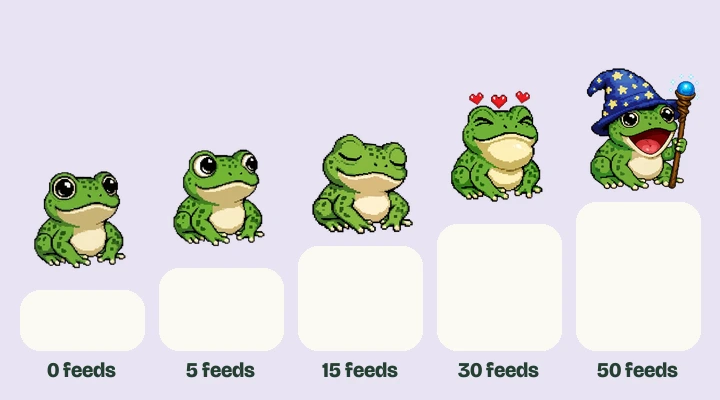
Blinking is the everyday choice. Looking Around is a bit more curious. Sleeping is a good fit if you like the frog at its quietest. Catching Fly adds a snack, and Wizard Staff brings the hat and staff into the collection.
The animation preview shows every set using the actual artwork. You can switch between them in your browser before putting one on your phone. The browser is a preview, so it does not change the feeding total or selected animation in the app.
A collection you can understand at a glance
The collection is small enough to see what you are working toward. Successful feeds add to your total, with milestones for the next animation. Feeding has a cooldown, so the app shows when another feed is ready.
For premium Live Activity animations, there is also an optional one-time purchase. That is worth understanding before you start collecting: earning an animation milestone and having premium access are separate requirements. Our feeding guide explains both in one table.
Keep the phone experience simple
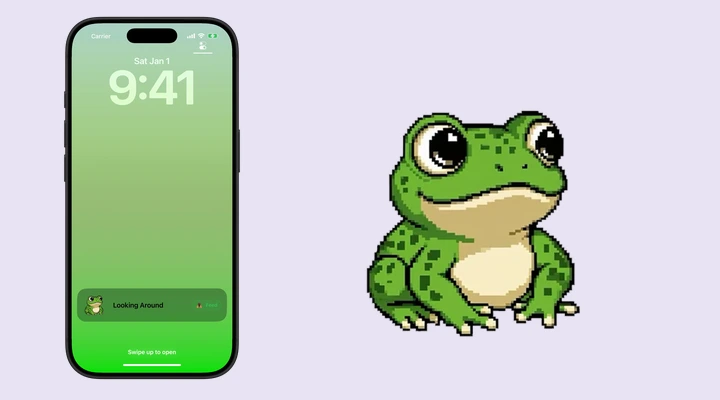
If your iPhone has a Dynamic Island, the frog can share that space while its Live Activity is active. If it does not, a supported phone can still show the frog on the Lock Screen. You do not need to change your wallpaper.
Use whichever surface fits how you already use your phone. The Lock Screen guide is a good starting point for a quick glance. The Dynamic Island guide covers expanding the activity and feeding from there.
Let it stay a small pleasure
A pixel pet does not need to turn into another project. Try the included starting animation, look at the others, and decide whether you enjoy having it around. Keep the Live Activity on when you enjoy the company, and switch it off whenever you like.
If that sounds like something you would enjoy, download Feed The Frog and start with a blink. There is time to meet the wizard later.
Say hello to your frog.
Try the preview, then bring a little company to your iPhone.
Download on theApp Store